
Solutions
Securely accept, manage, and make payments through one point of integration



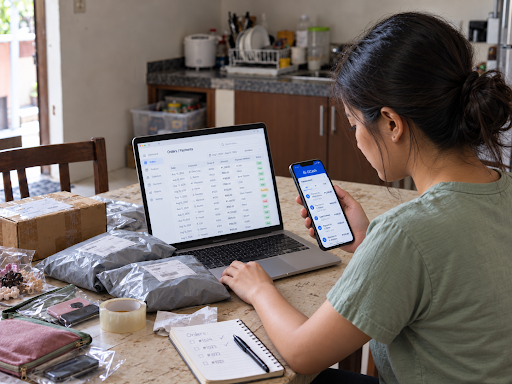
Learn how Philippine businesses can accept GCash payments online, from choosing the right setup route to API integration, fees and settlement.
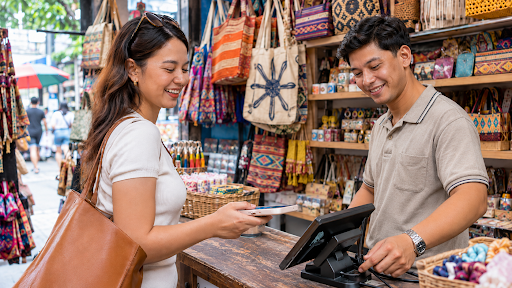
For a business selling online in the Philippines, GCash is often one of the payment methods customers look for at checkout. Setting it up on your website or app takes more than adding a wallet logo, though. You need to choose a payment solution, complete onboarding, integrate the payment flow and understand how fees and settlement will work for your business.
GCash for Business is the name GCash uses for its own business payment and account services. Another route is enabling GCash payment acceptance through a payment gateway in the Philippines that supports the channel, which allows you to add GCash to your checkout page alongside cards and other payment methods. The right route depends on your requirements, the payment channels you need, and the commercial terms on offer.
This guide covers:
GCash for Business provides payment and account management services for businesses in the Philippines. Depending on the product, you can use it to receive payments, manage funds and review transactions. For online payments, GCash offers WebPay to enterprise customers, with payouts to a nominated bank account and a dashboard for tracking transactions.
For an online seller who wants to accept GCash payments, there are two main options to consider: becoming a GCash merchant directly through a GCash business product, or accepting GCash through a payment gateway that supports it. A direct arrangement may suit a business whose needs line up with what GCash offers. On the other hand, for businesses that need multiple payment options or additional features, a payment gateway offers a way to integrate GCash alongside other payment methods through one connection to the business’ website or app.
Say your online store already accepts credit and debit cards, and you want to add GCash and other digital wallets such as Maya. Rather than building and maintaining a separate payment connection for every method, you can check whether a gateway supports the payment methods you need through a single integration.
Each payment method’s availability depends on the provider, your eligibility, and the configuration agreed for your account, so confirm these details before you choose.
When evaluating these two options, the main differences to consider are: how payments plug into your checkout, which other payment methods you can offer, and how you manage and settle transactions.
You can review GCash’s own business offerings to see which products support your sales channels. For online payments, the WebPay page sets out the registration documents GCash asks for by business type, for example, DTI registration for sole proprietors and SEC registration for partnerships and corporations. Onboarding starts with an inquiry form.
This route may suit a business that wants a direct arrangement with GCash, provided the product meets its technical and operational needs.
A GCash payment gateway connects your website or mobile app to GCash, and usually to other payment methods too, through one integration. If you want to accept GCash alongside cards and other digital wallets, this can simplify your payment setup and reduce the number of separate payment connections, reports and settlement processes you manage.
2C2P’s payment gateway supports multiple payment methods across Southeast Asia, with GCash listed as a payment channel for the Philippines. It is quick to set up and configurable to fit how you already work so that the checkout can match your existing e-commerce platform, payment setup, and operational processes. You should still plan for onboarding, configuration, testing and any development needed to connect the checkout to your existing systems.
Before you choose a route, it is worth asking each provider:
The setup process depends on the provider and integration method you choose. The steps below provide a practical starting point.
Before applying, work out how your customers will pay and how your business will manage transactions. Questions to answer include:
Your answers help you decide whether a direct GCash product or a payment gateway in the Philippines is the better fit for your business.
Contact your chosen provider to confirm its application process, eligibility criteria and documentation requirements. Depending on the arrangement, you may be asked for business registration details, information on business owners or authorised representatives, your website or app details, and other material needed for verification and merchant risk assessment.
Approval isn’t automatic, and requirements can vary by business type, industry, payment method, and provider, so build onboarding time into your launch plan.
Your development team should work with the provider to select an integration approach that suits your checkout experience and technical setup. For example, 2C2P’s developer documentation sets out payment integration options, including payment token creation and payment processing APIs. Depending on the payment flow, a customer may be redirected to complete payment in GCash or use another supported checkout flow.
The integration method shapes how you present checkout, how you start transaction requests, and how payment outcomes are returned to your systems.
Before going live, test your integration in the test environment your provider supplies. Cover the scenarios that tend to cause problems later, such as:
Check that your order management system records payment statuses correctly and that your customers receive a clear confirmation.
A customer reaching your confirmation page does not prove payment. Use your provider’s documented transaction status checks and reconciliation process to confirm whether an order has been paid.
Once onboarding, configuration and testing are complete, follow your provider’s go-live requirements. After launch, monitor payment success and failure rates, reconciliation differences, customer queries, refunds, and recurring integration errors. Regular checks help you spot problems before they affect more orders.
A GCash API integration allows your systems to communicate with the payment service through a defined technical interface. When you offer GCash through a payment gateway, you follow the gateway’s documentation and use the payment channel configuration approved for your account.
A typical payment flow has five stages:
The exact sequence and parameters depend on your integration and payment channel.
For 2C2P integrations, developers can refer to the GCash integration guide and the payment channels reference. The reference lists GCash for the Philippines under two channel codes: GCASH for wallet payments and GCHQR for GCash QR. A channel code alone does not enable production acceptance, so check the current documentation and your account’s configuration before going live.
Security needs the same attention. Follow your provider’s instructions on handling credentials, signing requests, protecting sensitive data, validating transaction notifications and managing retries. Keep secret keys out of client-side code, and do not rely on a browser redirect alone to confirm a payment.
There is no single fee that applies to every business accepting GCash through every provider. Your cost depends on the payment arrangement you choose and the terms offered to your business.
Before you sign, ask for a written breakdown of potential costs, such as:
Not every provider charges every type of fee, so confirm which ones apply to your account. When comparing payment gateway pricing, calculate the expected total cost at your projected transaction volume, since a headline transaction rate may not show the full picture.
Settlement is the process of paying out funds from processed payments to your business. The timing and amount you receive depend on your payment service provider’s settlement terms, transaction status, applicable fees and any agreed deductions or adjustments.
Before going live, confirm:
A successful customer payment doesn’t always mean funds reach your bank account right away, so check the settlement timeline and procedures with your provider.
Offering several payment methods gives your customers more choice at checkout. For many Philippine businesses, GCash for Business is worth weighing alongside cards and other local payment methods, such as Maya, QR Ph and bank transfers. Our guide to popular payment methods in the Philippines offers guidance on what payment methods may be worth prioritising.
A broader payment setup can help you serve different customer preferences across your online channels, although adding options does not guarantee higher conversion on its own. Measuring your own checkout performance shows which payment methods your customers use and where payment friction appears.
A payment gateway can also give you one integration point for supported payment methods. The effort involved still depends on your existing platform, your provider and the features you need.
When you evaluate a gateway, look beyond the number of payment methods advertised. Check which methods are actually available to your business in the Philippines, along with integration requirements, reporting, settlement terms and support. If you plan to sell into other markets in Southeast Asia later, ask how you would add those markets to the same setup.
2C2P is a full-suite payments platform helping businesses securely accept payments across online, mobile and offline channels, as well as providing issuing, payout, remittance and digital goods services. With over 400 payment options, from cards to digital wallets such as GCash, 2C2P is the preferred payments platform for tech giants, airlines, online marketplaces, retailers, and other global enterprises.
Looking to accept GCash and other payment methods through one integration? Explore 2C2P’s payment solutions in the Philippines, or talk to us today. Our friendly team is ready to help.
Our friendly team is ready to help.
 Login